Everything Crustify can do.

Every conversion, tool and action, by kind of file. All of it runs on your PC.

Images

Every common photo format, plus quick tools to fix, mark up and protect a picture without opening an editor.

JPG →
PNGWEBPHEICTIFFAVIFBMPPDF
PNG →
JPGWEBPHEICTIFFAVIFBMPPDF
WEBP →
JPGPNGHEICTIFFAVIFBMPPDF
HEIC →
JPGPNGWEBPTIFFAVIFBMPPDF
TIFF →
JPGPNGWEBPHEICAVIFBMPPDF
AVIF →
JPGPNGWEBPHEICTIFFBMPPDF
BMP →
JPGPNGWEBPHEICTIFFAVIFPDF
SVG →
JPGPNGWEBPHEICTIFFAVIFBMPPDF
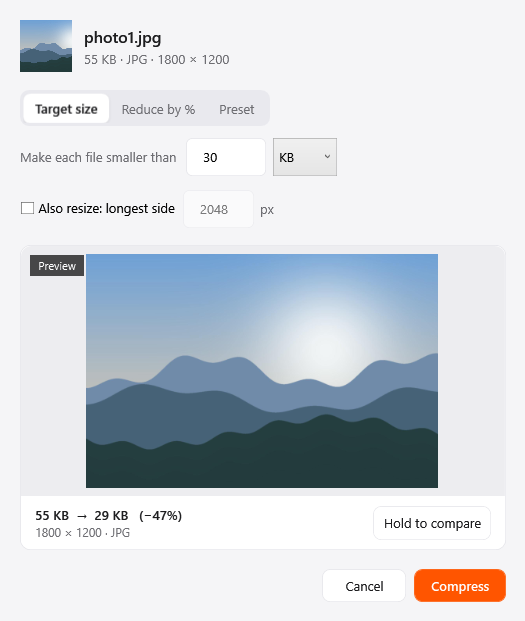
The Compress window in Crustify
Image tools

Compress

Shrink photos with a preset, a percentage or a target size, and hold to compare against the original before saving.

  • Works on many files at once
  • Drag a file, tap Ctrl, drop on Compress
  • Saves a new file. Your original stays as it was
  • Runs on your PC, nothing is uploaded
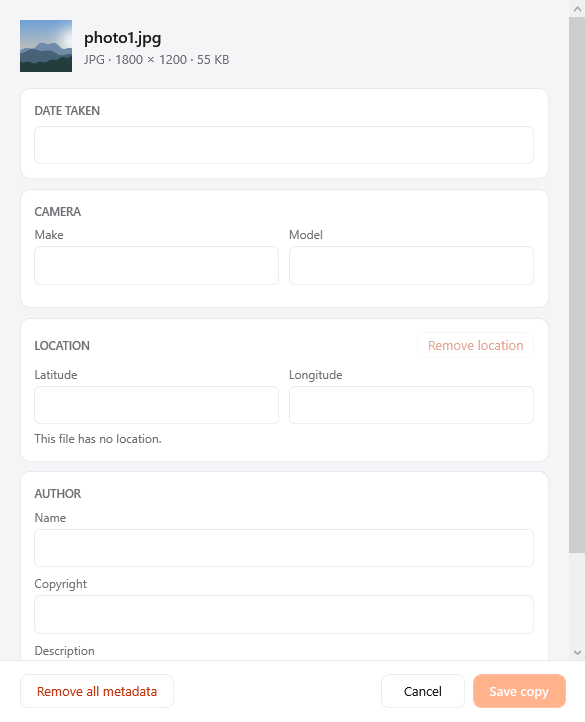
The Edit metadata window in Crustify
Image tools

Edit metadata

See and edit camera, date and location details, or strip them all, so a shared photo says only what you want.

  • Works on many files at once
  • Drag a file, tap Ctrl, drop on Metadata
  • Saves a new file. Your original stays as it was
  • Runs on your PC, nothing is uploaded
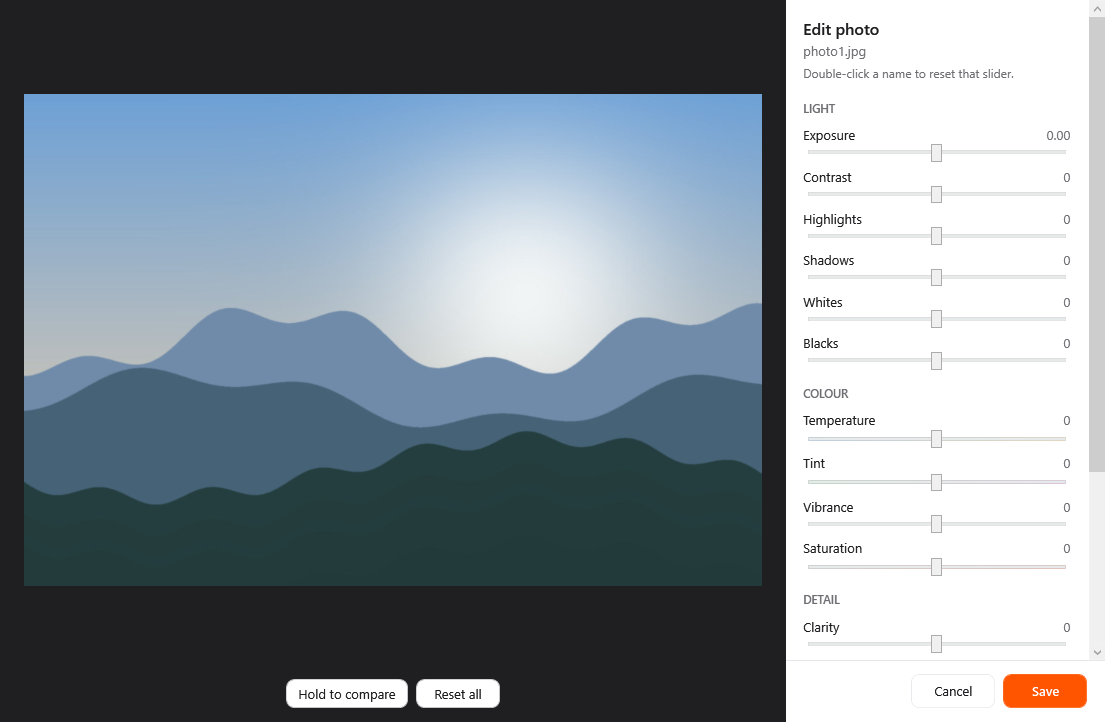
The Edit photo window in Crustify
Image tools

Edit photo

Adjust exposure, contrast, colour, clarity, vignette and grain with live sliders, then hold to compare with the original.

  • One file at a time
  • Drag a file, tap Ctrl, drop on Edit
  • Saves a new file. Your original stays as it was
  • Runs on your PC, nothing is uploaded
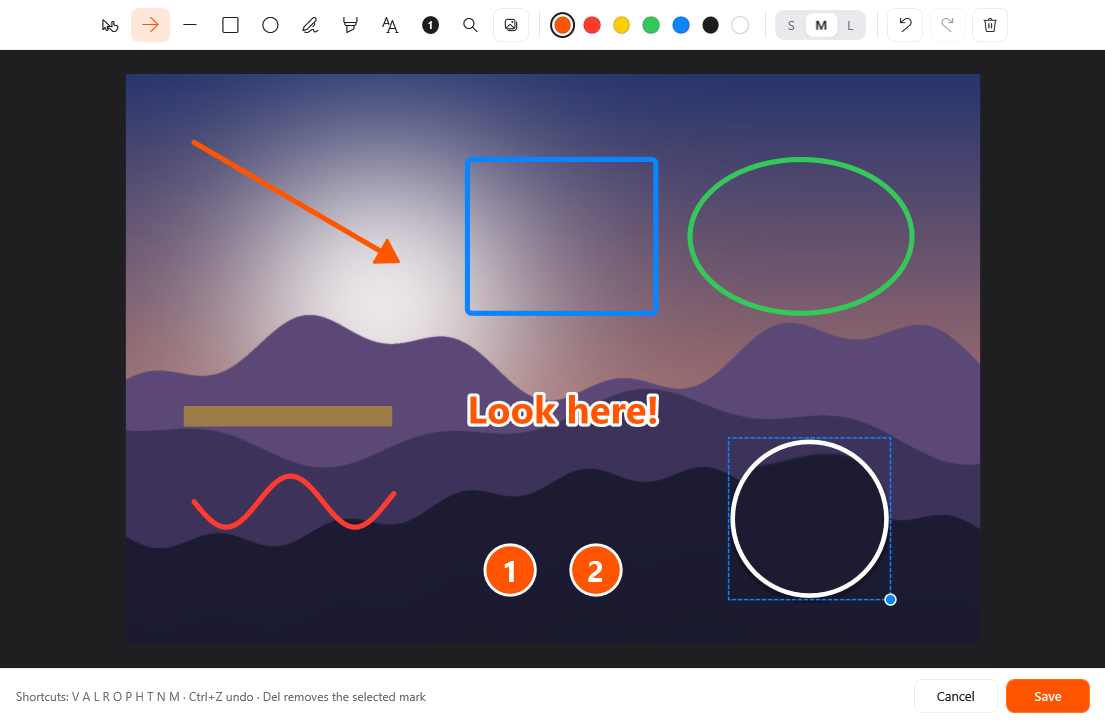
The Annotate window in Crustify
Image tools

Annotate

Point at what matters: arrows, shapes, text, numbered callouts, a magnifier, a pen and a highlighter for any photo or screenshot.

  • One file at a time
  • Drag a file, tap Ctrl, drop on Annotate
  • Saves a new file. Your original stays as it was
  • Runs on your PC, nothing is uploaded
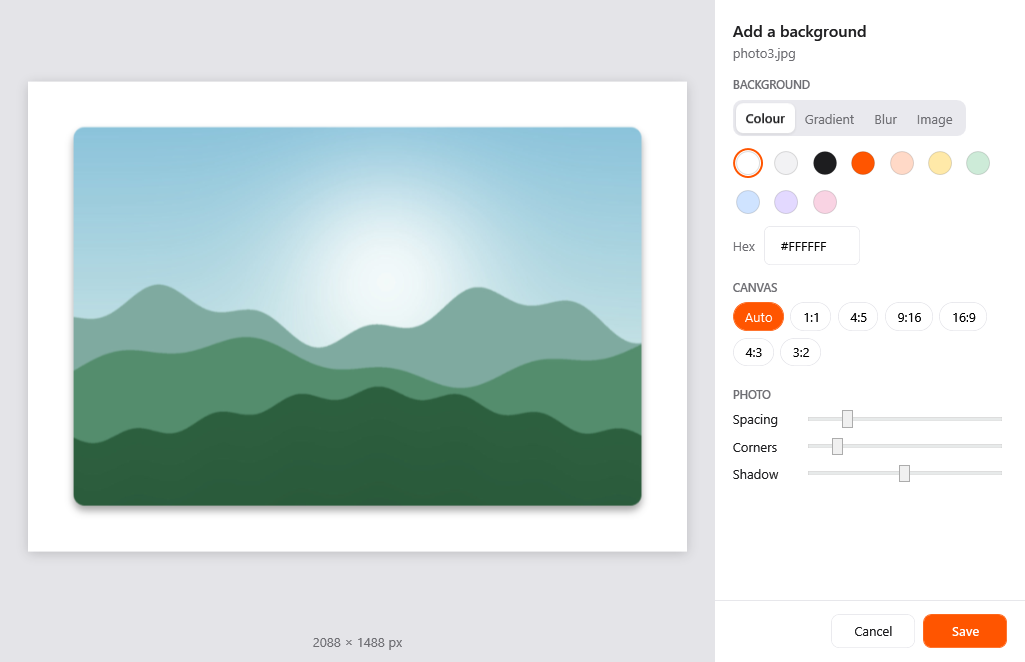
The Add background window in Crustify
Image tools

Add background

Put a screenshot or photo on a colour, gradient, blurred backdrop or image, with spacing, rounded corners and a shadow.

  • One file at a time
  • Drag a file, tap Ctrl, drop on Add bg
  • Saves a new file. Your original stays as it was
  • Runs on your PC, nothing is uploaded
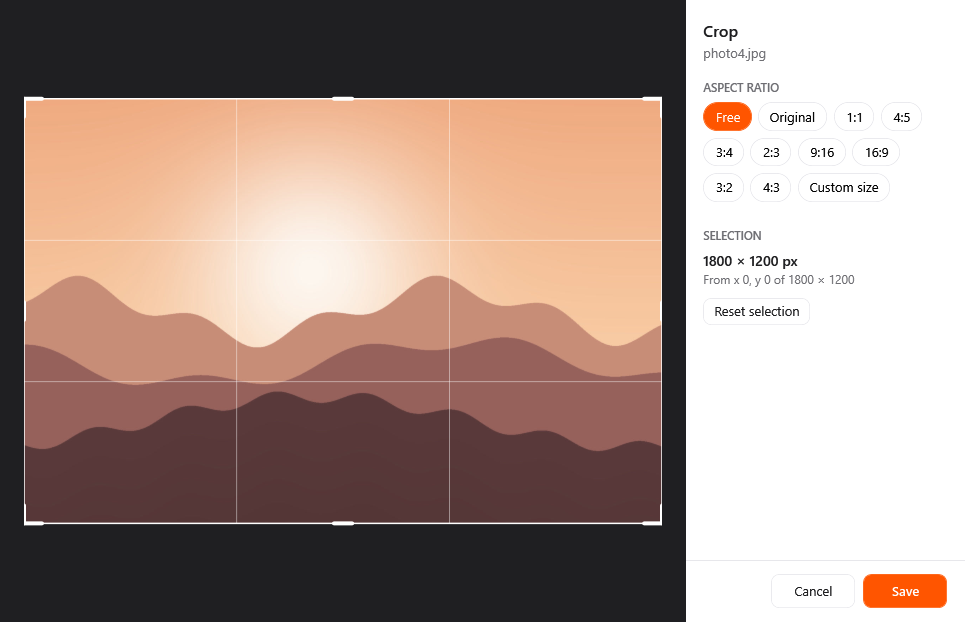
The Crop window in Crustify
Image tools

Crop

Crop one photo or a whole batch to the same aspect ratio or exact pixel size, each with its own framing.

  • Works on many files at once
  • Drag a file, tap Ctrl, drop on Crop
  • Saves a new file. Your original stays as it was
  • Runs on your PC, nothing is uploaded
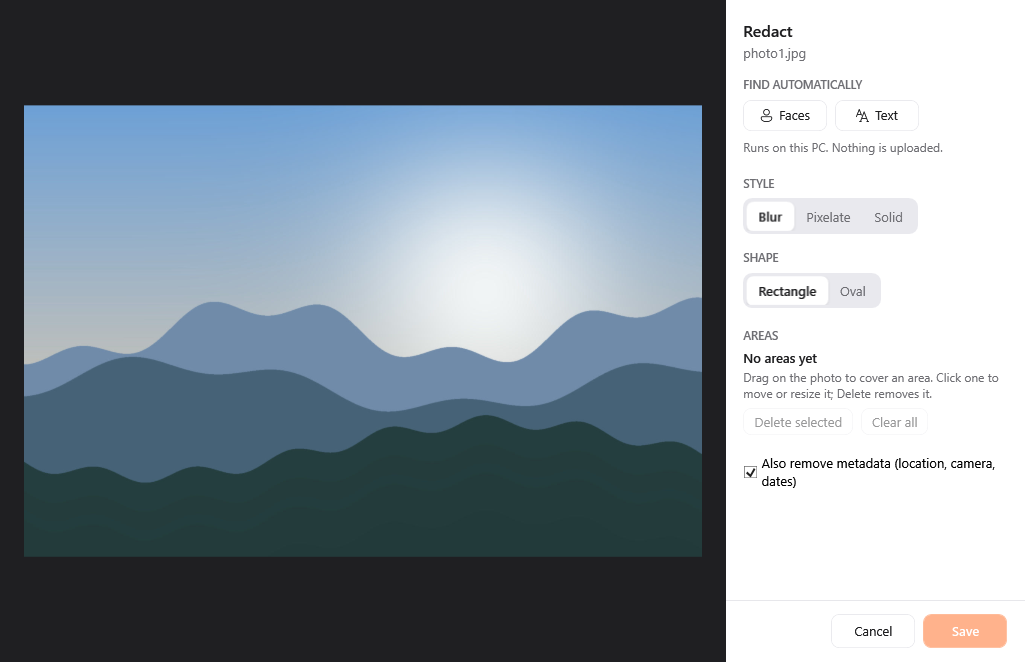
The Redact window in Crustify
Image tools

Redact

Cover faces, text or any area with blur, pixelation or solid colour; Crustify can find faces and text on its own.

  • Works on many files at once
  • Drag a file, tap Ctrl, drop on Redact
  • Saves a new file. Your original stays as it was
  • Runs on your PC, nothing is uploaded
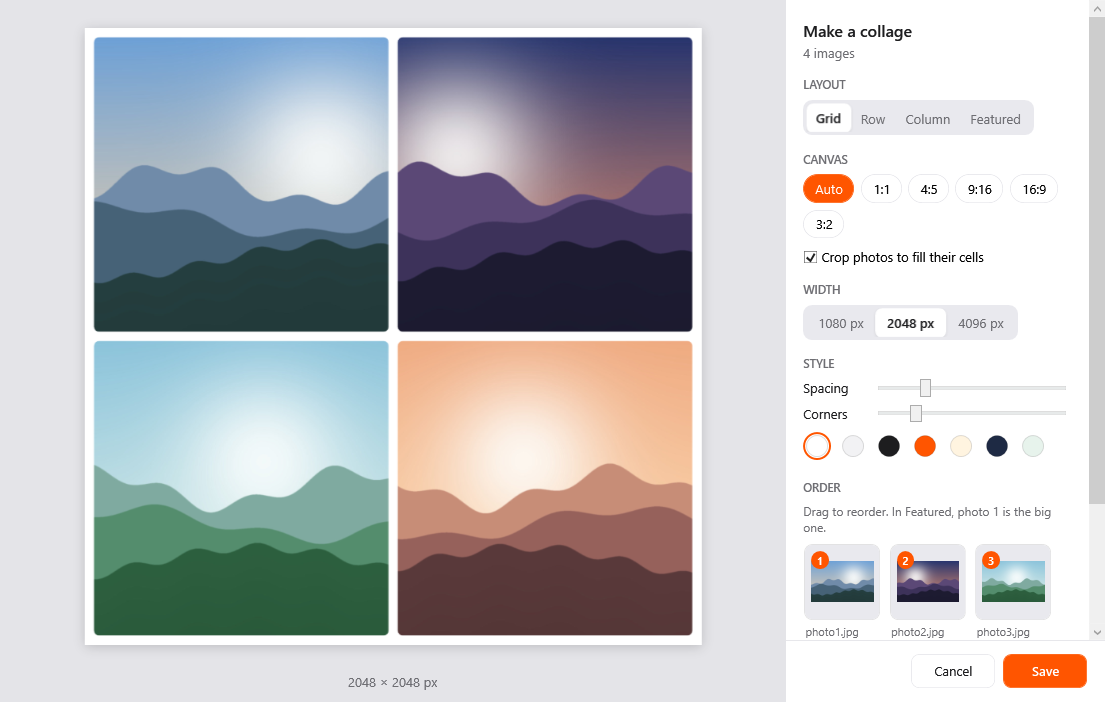
The Collage window in Crustify
Image tools

Collage

Arrange several photos into one picture as a grid, row, column or featured layout, with spacing and rounded corners.

  • Select two or more files
  • Drag a file, tap Ctrl, drop on Collage
  • Saves a new file. Your original stays as it was
  • Runs on your PC, nothing is uploaded
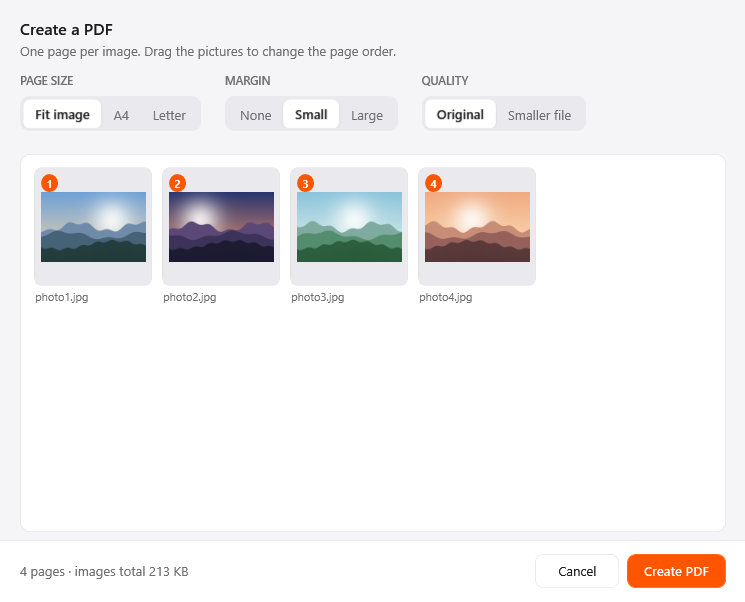
The Create PDF window in Crustify
Image tools

Create PDF

Turn several images into one PDF, a page per image, in the order you choose, on A4, Letter or original size.

  • Select two or more files
  • Drag a file, tap Ctrl, drop on Pdf
  • Saves a new file. Your original stays as it was
  • Runs on your PC, nothing is uploaded

Video

Change the format, pull out the sound, or trim, crop and redact a clip in one small window.

MP4 →
MOVMKVWEBMAVIWMVGIFMP3
MOV →
MP4MKVWEBMAVIWMVGIFMP3
MKV →
MP4MOVWEBMAVIWMVGIFMP3
WEBM →
MP4MOVMKVAVIWMVGIFMP3
AVI →
MP4MOVMKVWEBMWMVGIFMP3
WMV →
MP4MOVMKVWEBMAVIGIFMP3
GIF →
MP4MOVMKVWEBMAVIWMV
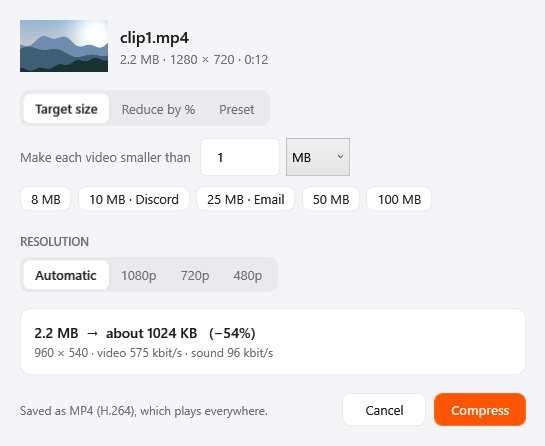
The Compress window in Crustify
Video tools

Compress

Make videos smaller with a preset, a percentage or a target size, saved as MP4 so they play on almost anything.

  • Works on many files at once
  • Drag a file, tap Ctrl, drop on Compress
  • Saves a new file. Your original stays as it was
  • Runs on your PC, nothing is uploaded
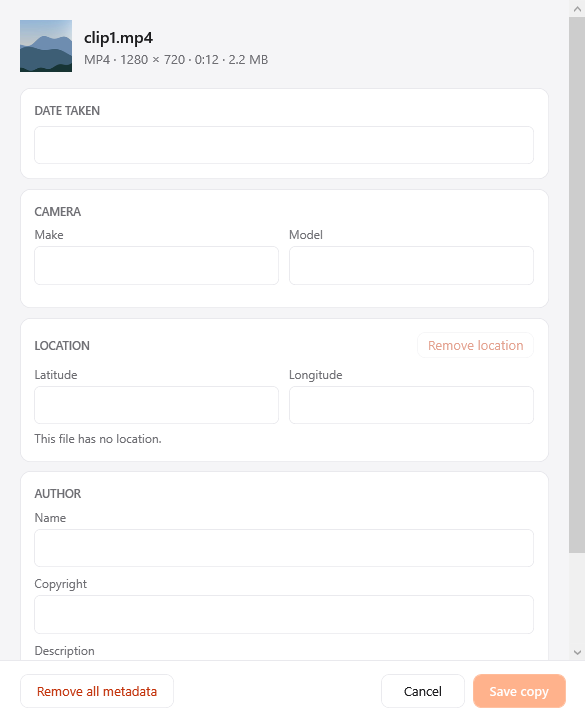
The Edit metadata window in Crustify
Video tools

Edit metadata

View and edit a video's date, location and other details, or remove them all before you share it.

  • Works on many files at once
  • Drag a file, tap Ctrl, drop on Metadata
  • Saves a new file. Your original stays as it was
  • Runs on your PC, nothing is uploaded
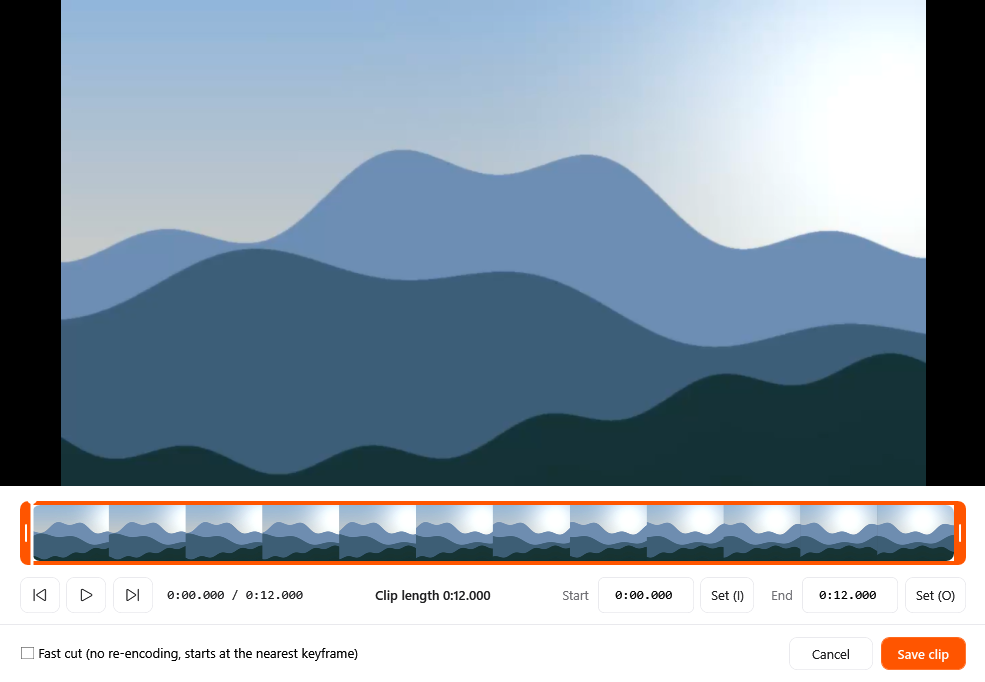
The Trim window in Crustify
Video tools

Trim

Keep just the part you need by dragging handles, stepping frame by frame or typing times, with an optional lossless fast cut.

  • One file at a time
  • Drag a file, tap Ctrl, drop on Trim
  • Saves a new file. Your original stays as it was
  • Runs on your PC, nothing is uploaded
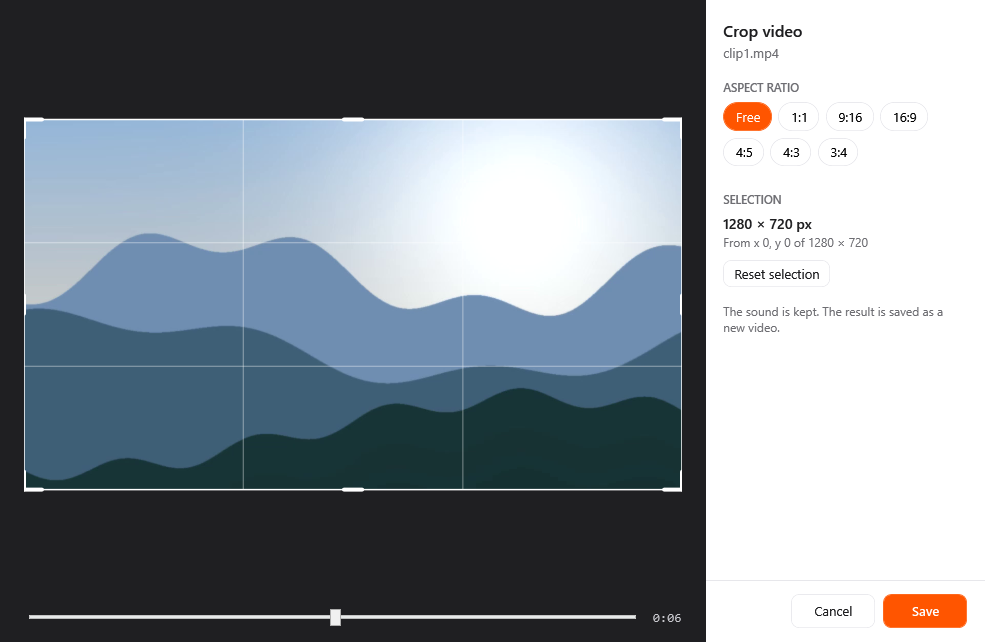
The Crop window in Crustify
Video tools

Crop

Reframe a video for a new aspect ratio, checking the framing at any moment of the clip, with the sound kept.

  • One file at a time
  • Drag a file, tap Ctrl, drop on Crop
  • Saves a new file. Your original stays as it was
  • Runs on your PC, nothing is uploaded
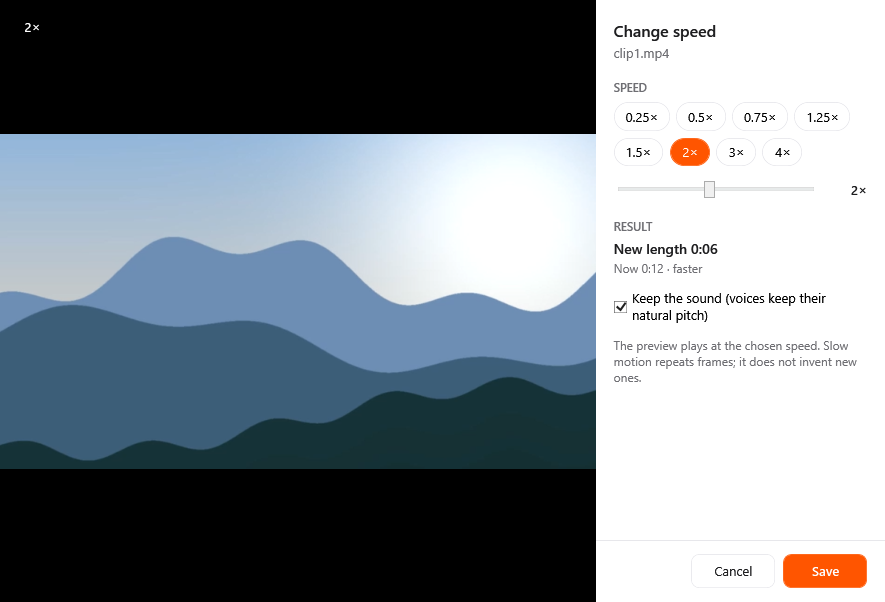
The Speed window in Crustify
Video tools

Speed

Play a video faster, up to 4×, or slower, down to 0.25×, with a live preview; voices can keep their natural pitch.

  • One file at a time
  • Drag a file, tap Ctrl, drop on Speed
  • Saves a new file. Your original stays as it was
  • Runs on your PC, nothing is uploaded
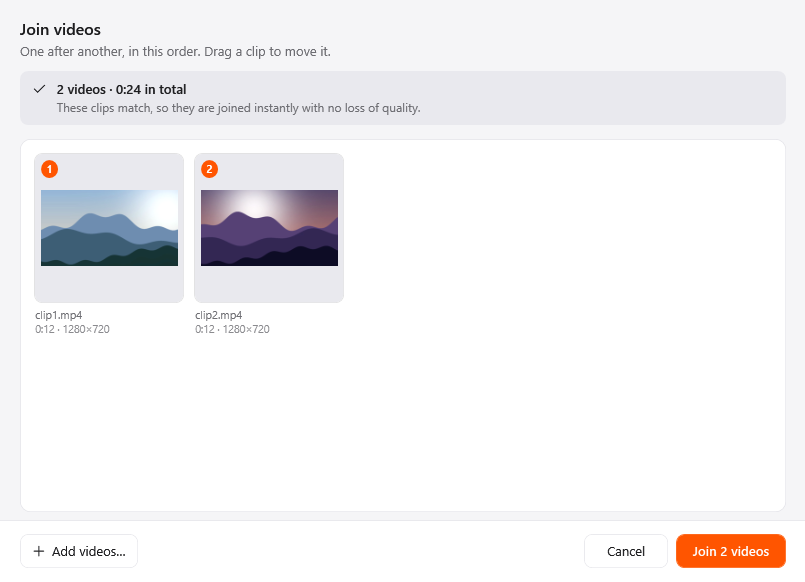
The Join window in Crustify
Video tools

Join

Join clips one after another into a single MP4; matching clips are copied as they are, with no quality lost.

  • Select two or more files
  • Drag a file, tap Ctrl, drop on Join
  • Saves a new file. Your original stays as it was
  • Runs on your PC, nothing is uploaded
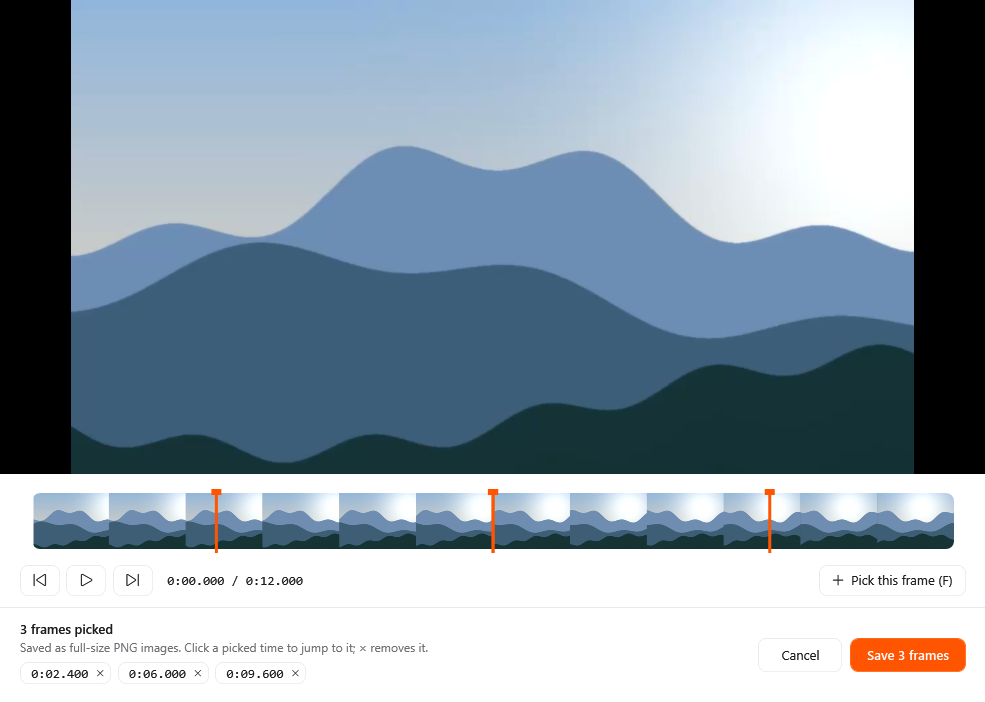
The Save frames window in Crustify
Video tools

Save frames

Pick any moments in a video and save each one as a full-size PNG, handy for thumbnails and stills.

  • One file at a time
  • Drag a file, tap Ctrl, drop on Frames
  • Saves a new file. Your original stays as it was
  • Runs on your PC, nothing is uploaded
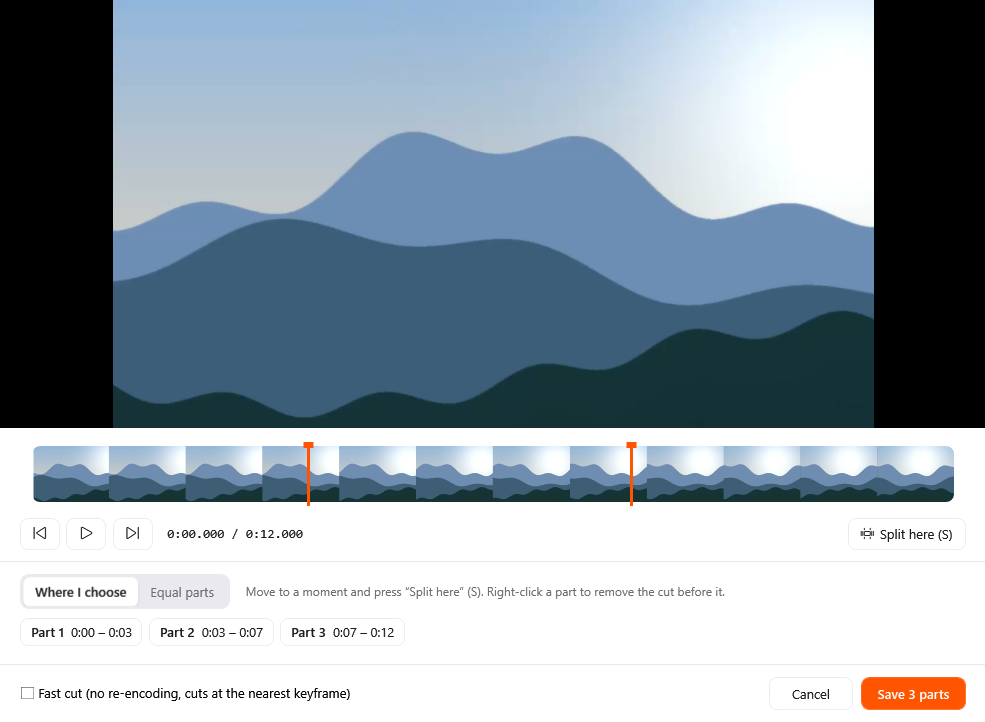
The Split window in Crustify
Video tools

Split

Cut a video into parts at the moments you choose or into equal pieces, with an optional fast lossless cut.

  • One file at a time
  • Drag a file, tap Ctrl, drop on Split
  • Saves a new file. Your original stays as it was
  • Runs on your PC, nothing is uploaded
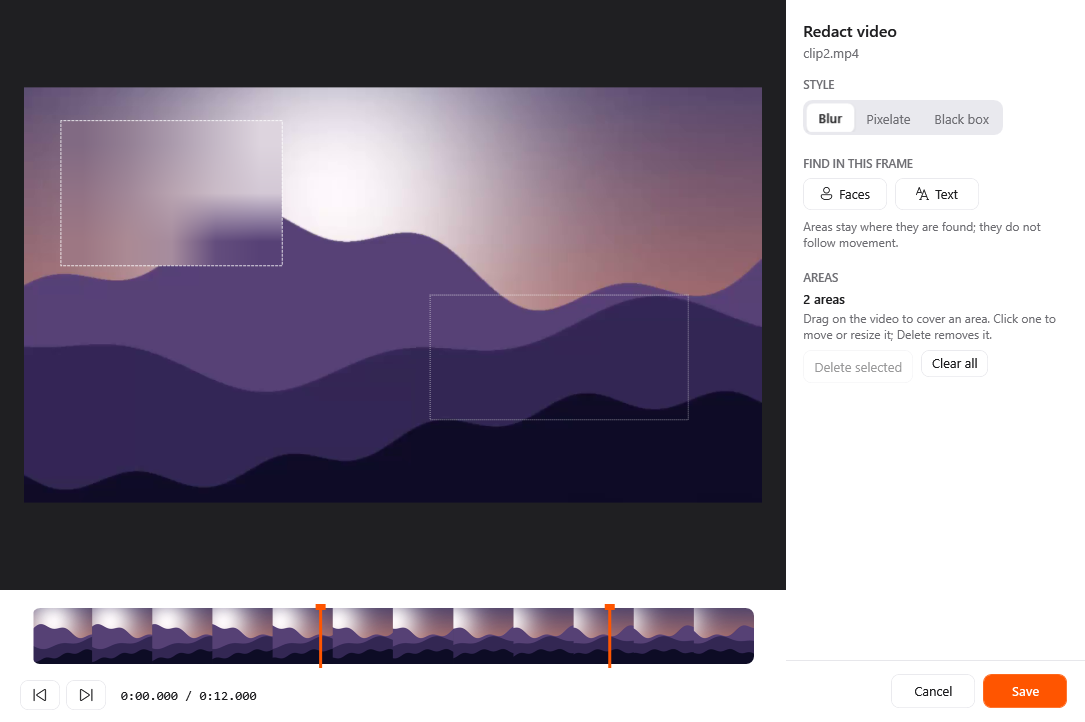
The Redact window in Crustify
Video tools

Redact

Blur, pixelate or black out parts of a video for chosen stretches of time, with faces and text spotted in any frame.

  • One file at a time
  • Drag a file, tap Ctrl, drop on Redact
  • Saves a new file. Your original stays as it was
  • Runs on your PC, nothing is uploaded

Audio

Convert between eight audio formats, then trim, level, tag or bleep a recording.

MP3 →
M4AWAVFLACOGGOPUSAIFFWMA
M4A →
MP3WAVFLACOGGOPUSAIFFWMA
WAV →
MP3M4AFLACOGGOPUSAIFFWMA
FLAC →
MP3M4AWAVOGGOPUSAIFFWMA
OGG →
MP3M4AWAVFLACOPUSAIFFWMA
OPUS →
MP3M4AWAVFLACOGGAIFFWMA
AIFF →
MP3M4AWAVFLACOGGOPUSWMA
WMA →
MP3M4AWAVFLACOGGOPUSAIFF
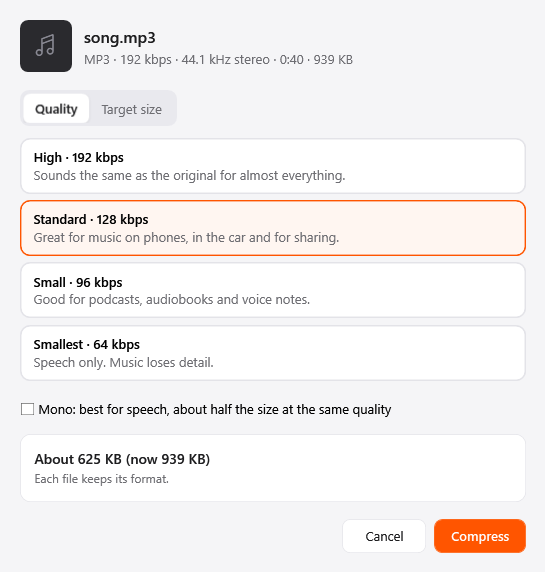
The Compress window in Crustify
Audio tools

Compress

Make audio files smaller with a quality preset or a target size, plus mono at about half the size for speech.

  • Works on many files at once
  • Drag a file, tap Ctrl, drop on Compress
  • Saves a new file. Your original stays as it was
  • Runs on your PC, nothing is uploaded
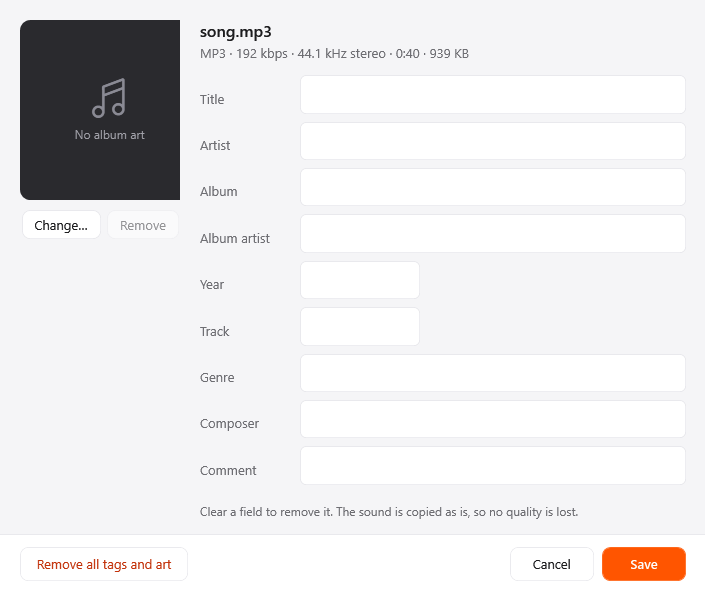
The Edit metadata window in Crustify
Audio tools

Edit metadata

Edit title, artist, album and album art for one track or many, or remove every tag; the sound is untouched.

  • Works on many files at once
  • Drag a file, tap Ctrl, drop on Metadata
  • Saves a new file. Your original stays as it was
  • Runs on your PC, nothing is uploaded
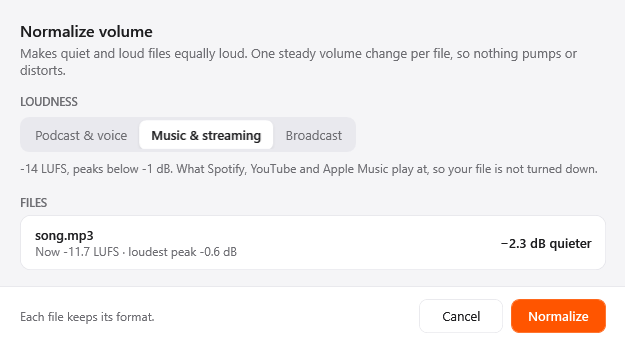
The Normalize window in Crustify
Audio tools

Normalize

Make quiet and loud files equally loud with LUFS presets for podcasts, music or broadcast, without pumping or distortion.

  • Works on many files at once
  • Drag a file, tap Ctrl, drop on Normalize
  • Saves a new file. Your original stays as it was
  • Runs on your PC, nothing is uploaded
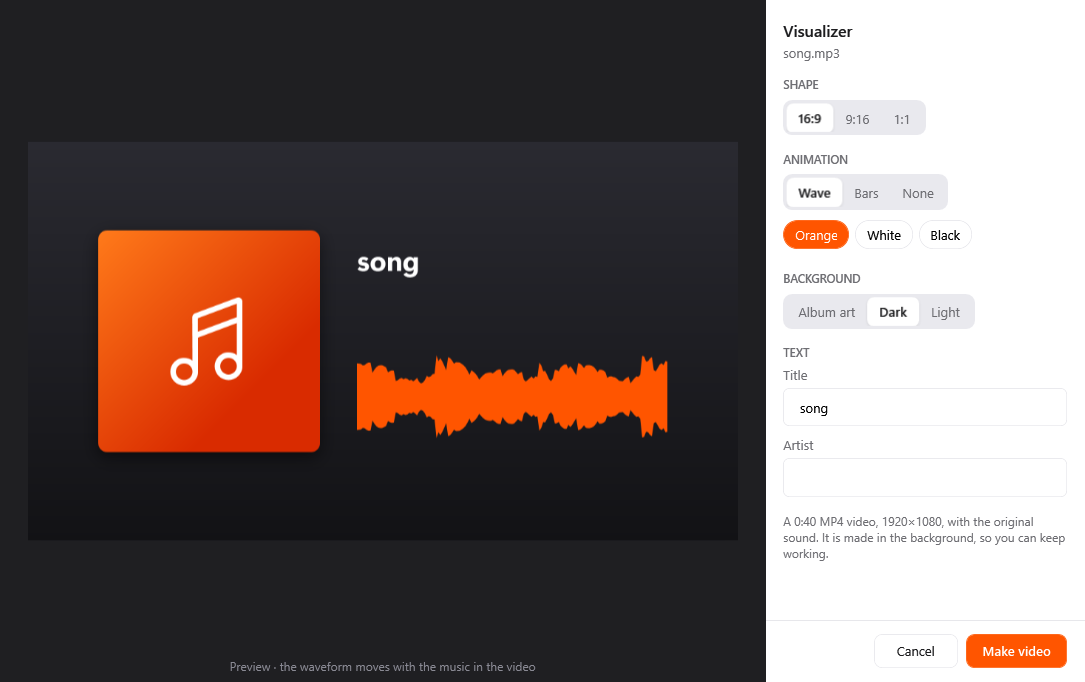
The Visualizer window in Crustify
Audio tools

Visualizer

Turn a song or recording into an MP4 with album art and a moving waveform or bars, in landscape, portrait or square.

  • One file at a time
  • Drag a file, tap Ctrl, drop on Visualizer
  • Saves a new file. Your original stays as it was
  • Runs on your PC, nothing is uploaded
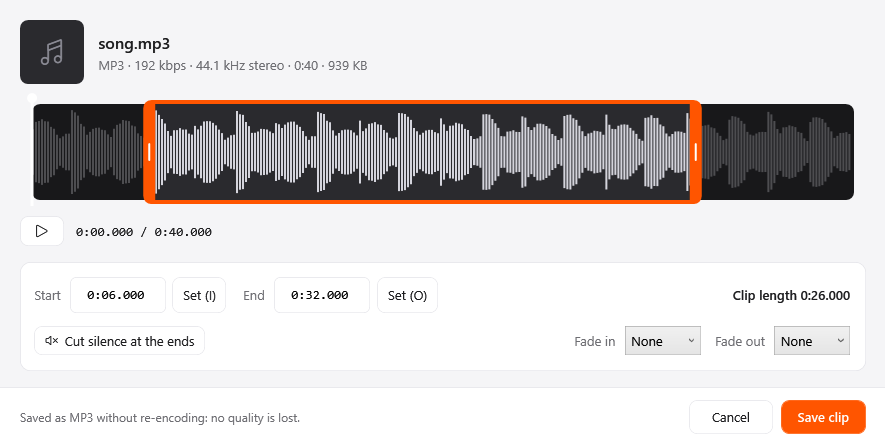
The Trim window in Crustify
Audio tools

Trim

Keep one part of a song or recording by dragging over its waveform, with fades and one click to cut silent ends.

  • One file at a time
  • Drag a file, tap Ctrl, drop on Trim
  • Saves a new file. Your original stays as it was
  • Runs on your PC, nothing is uploaded
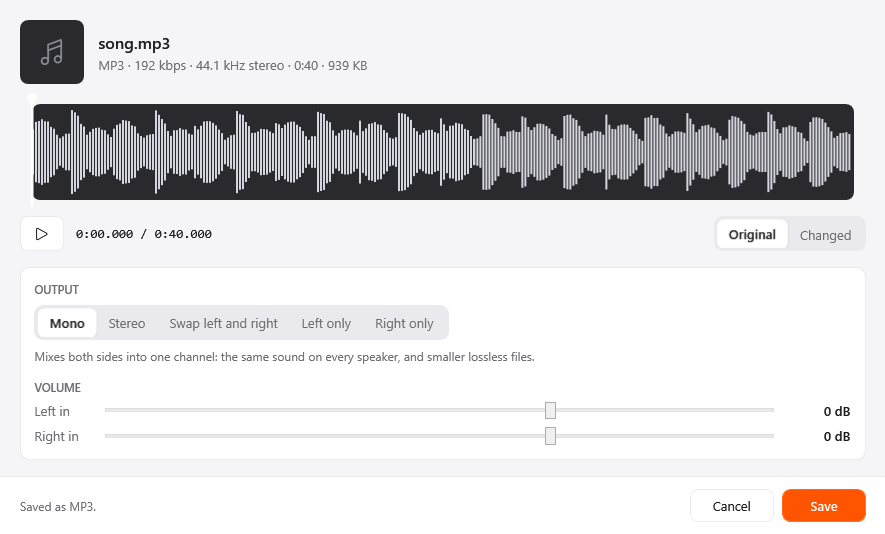
The Channels window in Crustify
Audio tools

Channels

Fix lopsided sound: make it mono, stereo, left-only or right-only, swap the sides, or set each side's volume.

  • One file at a time
  • Drag a file, tap Ctrl, drop on Channels
  • Saves a new file. Your original stays as it was
  • Runs on your PC, nothing is uploaded
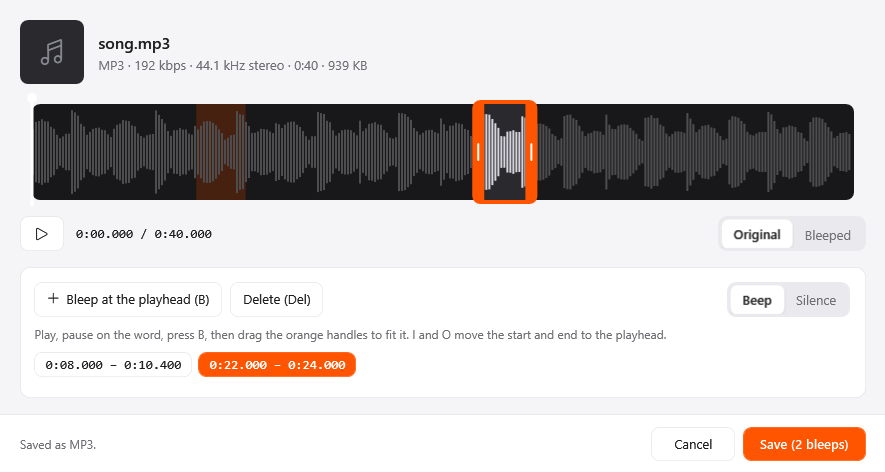
The Bleep window in Crustify
Audio tools

Bleep

Cover swear words or private details with a beep or silence, placing each one exactly where it belongs on the timeline.

  • One file at a time
  • Drag a file, tap Ctrl, drop on Bleep
  • Saves a new file. Your original stays as it was
  • Runs on your PC, nothing is uploaded

PDF

Turn PDFs into images, text or Word files, and merge, reorder or shrink them without a PDF editor.

PDF →
JPGPNGTXTMDEPUBDOCX
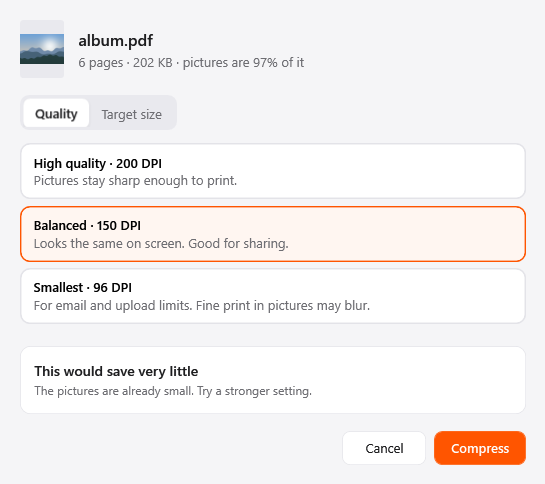
The Compress window in Crustify
PDF tools

Compress

Shrink PDFs by quality level or target size: pictures get smaller, while text, drawings and fonts stay exactly as they were.

  • Works on many files at once
  • Drag a file, tap Ctrl, drop on Compress
  • Saves a new file. Your original stays as it was
  • Runs on your PC, nothing is uploaded
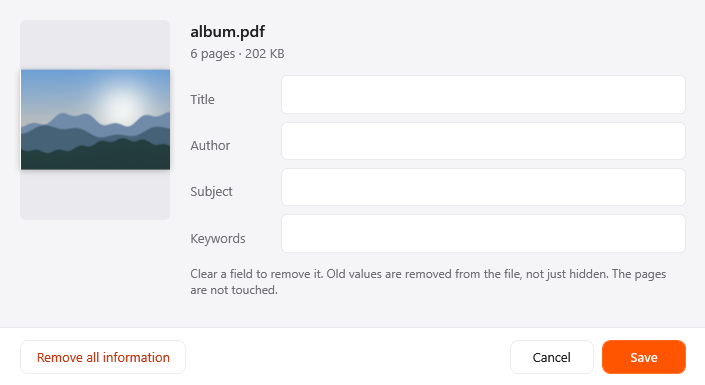
The Edit metadata window in Crustify
PDF tools

Edit metadata

Change a PDF's title, author, subject and keywords, or wipe them; old values are removed from the file, not hidden.

  • Works on many files at once
  • Drag a file, tap Ctrl, drop on Metadata
  • Saves a new file. Your original stays as it was
  • Runs on your PC, nothing is uploaded
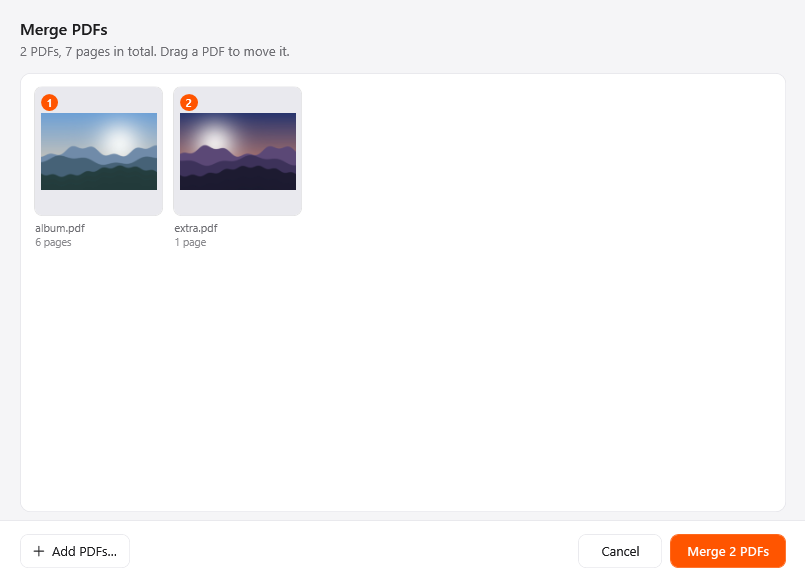
The Merge window in Crustify
PDF tools

Merge

Combine whole PDFs into one, in the order you drag them, with every page copied exactly as it was.

  • Select two or more files
  • Drag a file, tap Ctrl, drop on Merge
  • Saves a new file. Your original stays as it was
  • Runs on your PC, nothing is uploaded
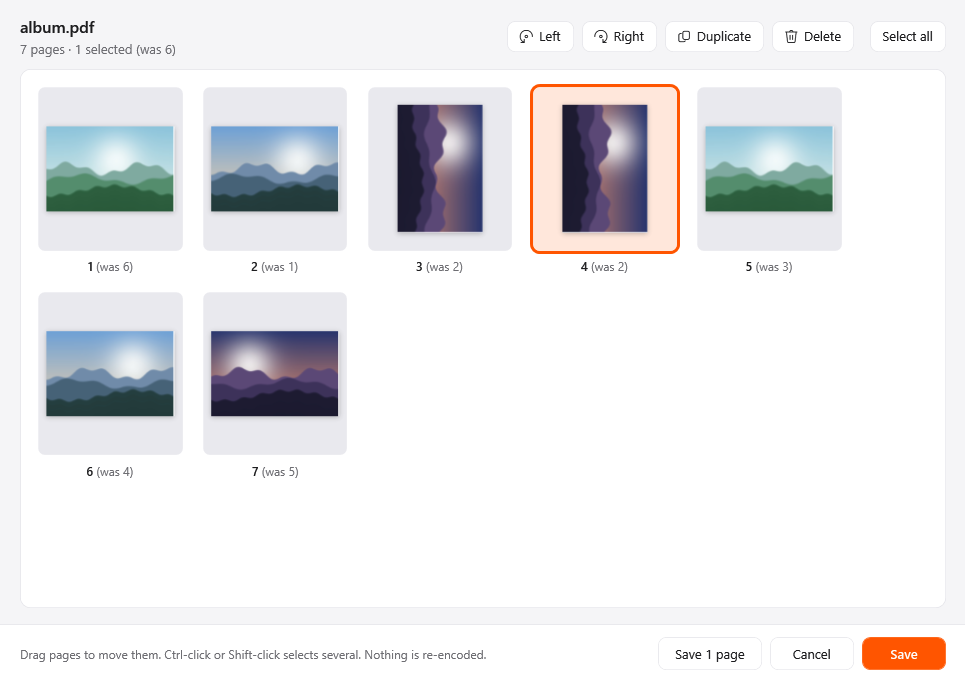
The Organize pages window in Crustify
PDF tools

Organize pages

Reorder, rotate, duplicate or delete pages, or save just the ones you pick as a new PDF, with no quality loss.

  • One file at a time
  • Drag a file, tap Ctrl, drop on Pages
  • Saves a new file. Your original stays as it was
  • Runs on your PC, nothing is uploaded

Documents

Move text between Word, Markdown, HTML, plain text and EPUB. With Word installed, save any of them as a PDF.

Documents

DOCX →
PDFMDTXTEPUBHTML
MD →
PDFDOCXTXTEPUBHTML
TXT →
PDFDOCXMDEPUBHTML
RTF →
PDFDOCXMDTXTEPUBHTML
HTML →
PDFDOCXMDTXTEPUB
DOC →
PDFDOCXMDTXTHTMLEPUB
PAGES →
JPGPNGPDF

Shaded formats use your installed Microsoft Office (Word, Excel or PowerPoint).

Document tools

Compress

Make Word documents smaller by shrinking the pictures inside, while text, tables and formatting stay exactly as they were.

  • Works on many files at once
  • Drag a file, tap Ctrl, drop on Compress
  • Saves a new file. Your original stays as it was
  • Runs on your PC, nothing is uploaded
Document tools

Edit metadata

Edit a Word document's title, author and company, or strip personal details like the names on comments before sharing.

  • Works on many files at once
  • Drag a file, tap Ctrl, drop on Metadata
  • Saves a new file. Your original stays as it was
  • Runs on your PC, nothing is uploaded

Compress and metadata work with Word files (.docx).

EPUB

EPUB →
PDFDOCXMDTXTHTML

Shaded formats use your installed Microsoft Office (Word, Excel or PowerPoint).

Slides & Sheets

Using your own PowerPoint and Excel, export decks and sheets to PDF or images and switch between spreadsheet formats.

Slides

PPTX →
JPGPNGPDF
PPT →
JPGPNGPDFPPTX

Shaded formats use your installed Microsoft Office (Word, Excel or PowerPoint).

Slide tools

Compress

Make PowerPoint decks smaller by shrinking the pictures inside, so they fit email limits; text and layout stay as they were.

  • Works on many files at once
  • Drag a file, tap Ctrl, drop on Compress
  • Saves a new file. Your original stays as it was
  • Runs on your PC, nothing is uploaded
Slide tools

Edit metadata

Edit a deck's title, author and company, or strip personal details like the names on comments before you send it.

  • Works on many files at once
  • Drag a file, tap Ctrl, drop on Metadata
  • Saves a new file. Your original stays as it was
  • Runs on your PC, nothing is uploaded

Compress and metadata work with PowerPoint files (.pptx).

Spreadsheets

XLSX →
PDFODSCSVTSV
ODS →
PDFXLSXCSVTSV
CSV →
PDFXLSXODSTSV
TSV →
PDFXLSXODSCSV
XLS →
PDFXLSXODSCSVTSV

Shaded formats use your installed Microsoft Office (Word, Excel or PowerPoint).

Spreadsheet tools

Compress

Make Excel workbooks smaller by shrinking the pictures inside; cells, formulas and charts are left exactly as they were.

  • Works on many files at once
  • Drag a file, tap Ctrl, drop on Compress
  • Saves a new file. Your original stays as it was
  • Runs on your PC, nothing is uploaded
Spreadsheet tools

Edit metadata

Edit a workbook's title, author and company, or strip personal details like the names on comments before you share it.

  • Works on many files at once
  • Drag a file, tap Ctrl, drop on Metadata
  • Saves a new file. Your original stays as it was
  • Runs on your PC, nothing is uploaded

Compress and metadata work with Excel files (.xlsx).

Archives & Subtitles

Extract ZIP, RAR, 7Z, TAR and GZ archives, repack ZIP and TAR files, and switch subtitles between SRT and VTT.

Archives

ZIP →
ExtractTARGZ
TAR →
ExtractZIPGZ
GZ →
Extract
RAR →
Extract
7Z →
Extract

Subtitles

SRT →
VTTTXT
VTT →
SRTTXT

Actions

For any file, folder or mix of them: share it, park it, or send it where it needs to go.

Share

Send files with the Windows share sheet, to Nearby Sharing, mail or any app that accepts them.

Float

Park files on a small shelf that floats at the edge of your screen, then drag them into any app later.

Copy

Put the files on the clipboard, ready to paste into a folder, an email or a chat.

Move

Pick a folder and move the files there, with Windows' own progress window and replace-or-skip questions.

Copy path

Copy the full path of each file as text, one per line, for scripts, emails or support tickets.

Terminal

Open Windows Terminal or PowerShell right in the file's folder, so you can start typing commands straight away.

That's all of it. Try it on your own files.

Crustify runs every conversion and tool on your PC, offline.
Get Crustify

₹49, once. Your licence key arrives by email as soon as the payment goes through.

Your licence key is sent here.
Required by our payment provider. We don't use it for anything else.

Payments are handled by Cashfree: UPI, cards and netbanking.